Allowing Traffic from Our Tools
Some setups block automation tools from accessing their web pages. This can result in our tool being blocked or triggering a CAPTCHA challenge.
To resolve this, you need to configure your setup to allow access from our tool. This may involve whitelisting our system’s IP address:
IP address : 5.75.157.62
For setups with Cloudflare
In case if your setup has Cloudflare blocking the requests from our tools, please execute the following steps:
- Within
Security -> Security Rulesscreen, clickCreate ruleand selectIP access rules. Here, add the IP address5.75.157.62and set Action toAllowand save the newly created rule after labelling it as needed. - Within
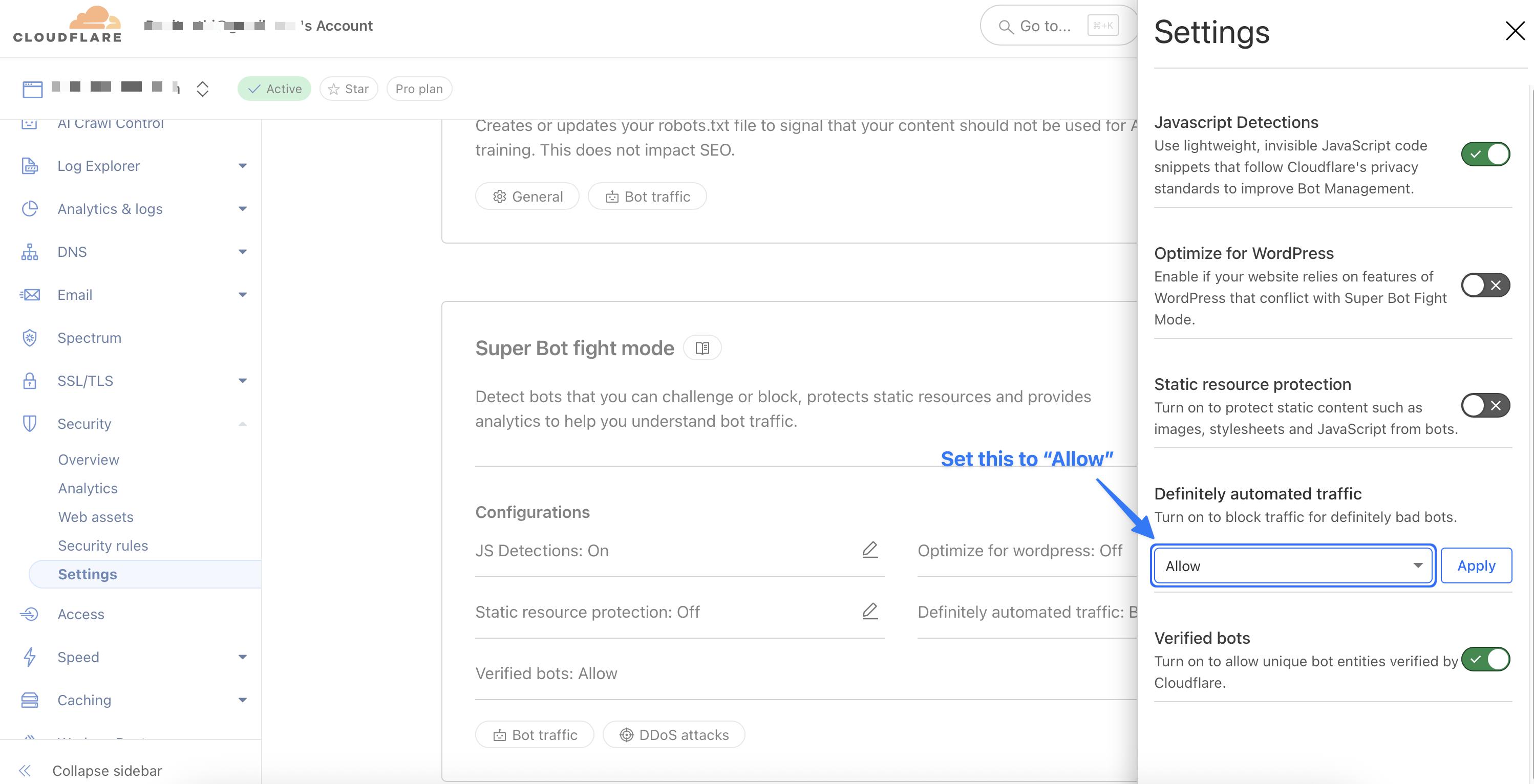
Security -> Settingsscreen, look forBot Fight ModeorSuper Bot Fight Mode. Here, forDefinitely automated traffic, set the value toAllow.
Note that each of these settings may take upto 10 minutes to be applied to your setup. If you still encounter issues, please identify the root cause of the blocking via Security -> Events screen.
For other setups
For guidance on exact steps to whitelist an IP address, please refer your service provider, cloud provider, or CDN documentation.
Or, contact me to help with steps specific to your setup via email at punit@tezify.com